|
<< Click to Display Table of Contents >> Product Overview |
  
|
|
<< Click to Display Table of Contents >> Product Overview |
|
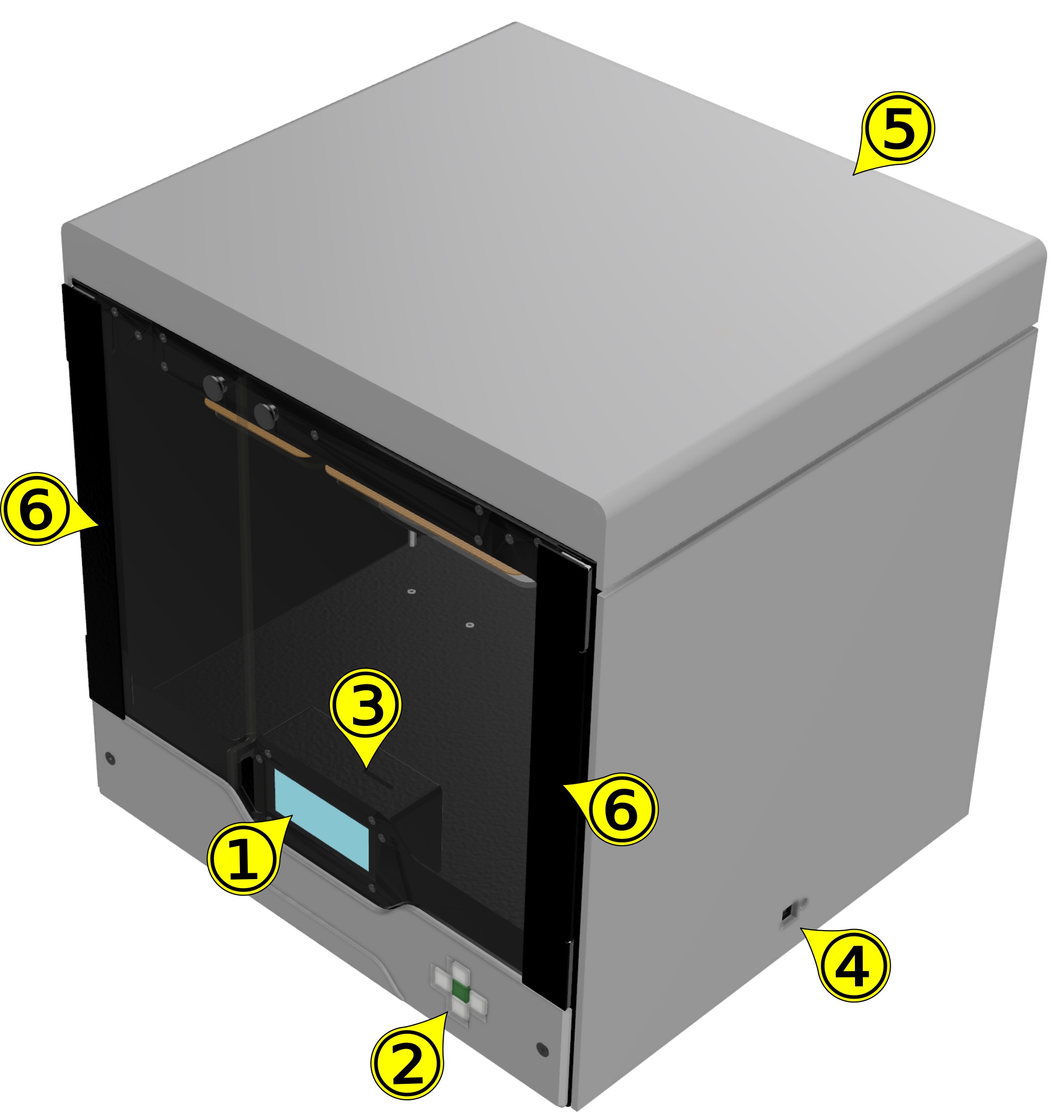
FRONT/SIDE view
# |
Name |
Description |
|---|---|---|
1 |
LCD display |
ZYYX pro user interface display and control menu. |
2 |
Menu buttons |
Used to control the user interface. See section Keyboard Operation |
3 |
SD Card slot |
Uses an SD Card with print files |
4 |
USB port |
Interface to computer. Primarily used for firmware updates Next to the USB port there is a hardware reset button |
5 |
Top cover |
Can be removed for easier access when changing SwiftTool or feeding filament |
6 |
Doors |
Can be opened to access the print volume, removing the build-plate after the print is finished and also for accessing the SD card slot |
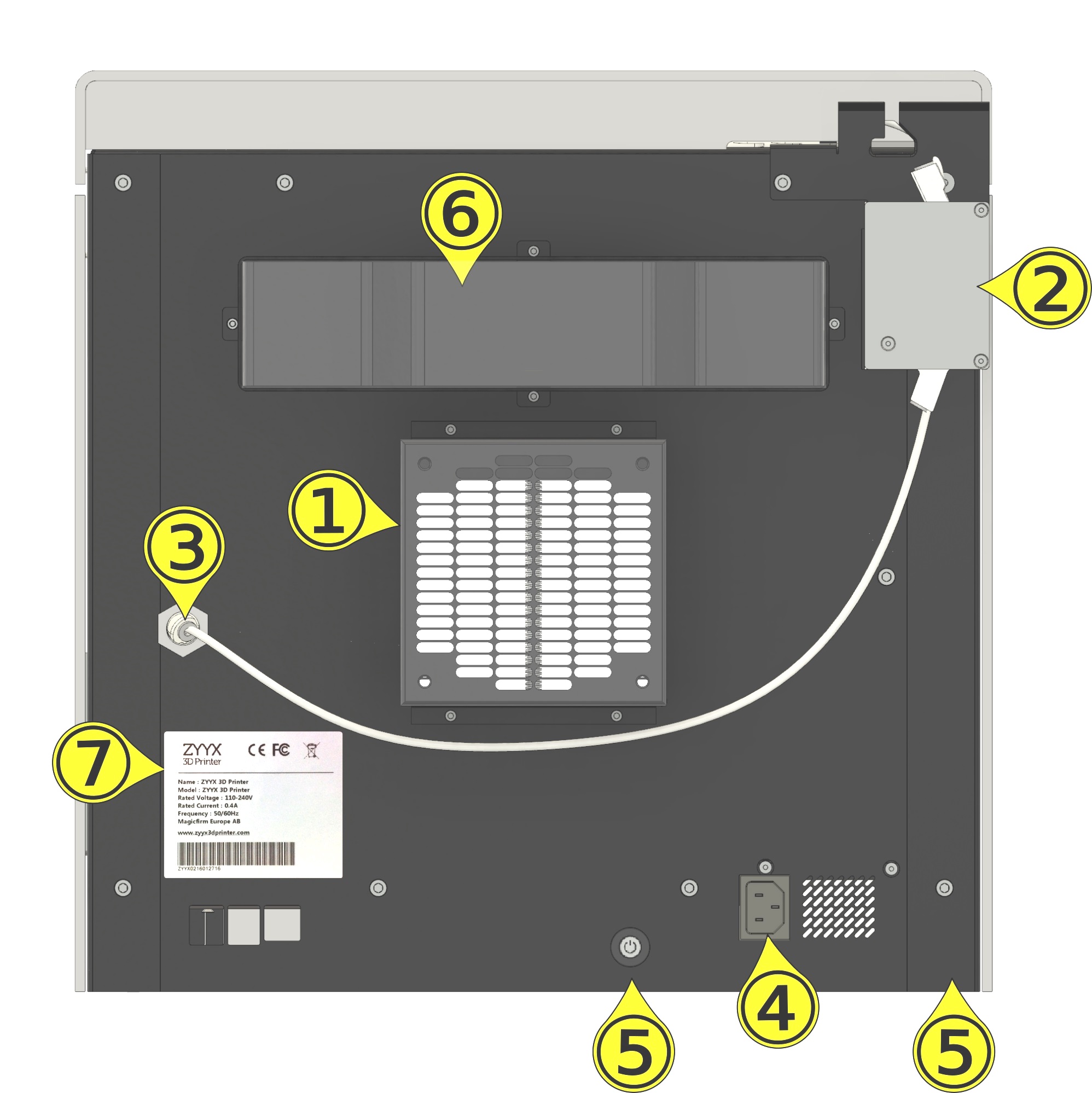
BACK view
# |
Name |
Description |
|---|---|---|
1 |
Air filter container |
Contains a fan and a replaceable air filter. The fan makes sure that all air exiting the unit passes the filter and is clean. The filter cartridge is inserted from the right side (see Air Filter Cartridge). |
2 |
Filament monitor |
Monitors if there is a problem with the filament or if the filament runs out. If that happens the print is paused, so that the problem can be corrected before resuming the print |
3 |
Filament feed funnel |
Attaches to the filament tubing which guides the filament on its way from the roll to the printhead extruder via the filament monitor |
4 |
Power input |
Connects to power wall socket via power cable |
5 |
Power button |
Powers on/off the ZYYX pro (position varies depending on printer version) |
6 |
Heater cover |
This part contains the heater for the heated enclosure. It will be warm when printing with heated enclosure, up to 65-70 °C |
7 |
Product label |
Displays detailed information about the product and model as well as certification labels.The serial number is found at the bottom below the bar code |